Free Multilink QR Code Generator Online
Generating a professional, scannable QR code shouldn't require subscriptions or complex software. With our free Multilink QR code generator, you can create a custom, high-quality code in seconds. Whether it's for your business, personal use, or an event, you have full control over the design and functionality.
What Is a Multilink QR Code?
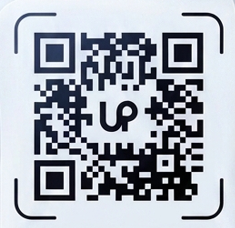
A Multilink QR code encodes specific data so that anyone scanning it with a smartphone camera will be instantly directed to your content without needing to type anything out.
How to Generate a Multilink QR Code
Follow these steps to create your custom code:
- Select "Multilink" as the QR type from the top of the tool.
- Enter your relevant link or details into the input field.
- Customize the colors, size, and dot style to match your branding.
- Upload a center logo if desired.
- Click Generate to preview your scannable code.
- Download as a high-quality PNG or SVG image.
Everything happens directly in your browser ensuring total privacy and lightning-fast generation.
Why Use Our Generator?
- No manual typing required by your audience.
- Completely offline generation ensures maximum privacy.
- Highly customizable with your brand colors and logo.
- Universal compatibility with iOS and Android camera apps.
Frequently Asked Questions (FAQ)
Is this Multilink QR code generator free to use?
Yes, it's completely free with no sign-up, watermark, or usage limit.
Is my data stored anywhere when generating a Multilink QR code?
No. The QR code is generated entirely in your browser. Your data is never sent to or stored on our servers.
Can I add my logo to the QR code?
Yes, use the 'Center Logo' upload option. The tool automatically adjusts error-correction so the QR remains scannable.
Does the QR code expire?
No. Our QR codes are static and do not expire. They will work as long as the underlying information or link is active.
What file formats can I download?
You can download your QR code as a PNG image for general use, or an SVG file for perfect, infinite scaling in print designs.
Ready to create yours? Scroll up, select the Multilink tab, and generate your free QR code instantly.